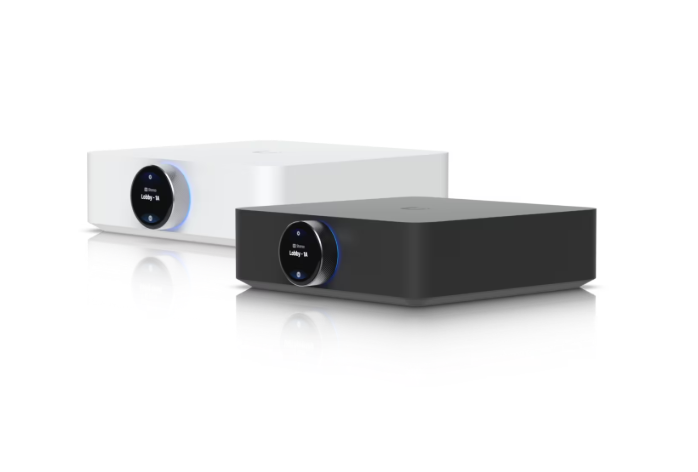
The Apple Home Collection is Apple’s biggest move into the smart home in a decade. On October 13, Apple announced a lineup of cameras, a video doorbell, a smart deadbolt, and thermostats built with LG and Schneider Electric, along with Apple HomeView, a 7-inch smart display that acts as the command center for your house. HomeView ships November 13, and the Apple Home Collection starts arriving in December, just in time for the holidays.
If you already live in the Apple ecosystem, this is a big deal. Everything sets up with a tap from your iPhone and lives in the Apple Home app. There’s no separate camera app, no extra account, and no monthly camera subscription beyond the iCloud+ plan many families already pay for.
But here’s what the press releases gloss over: a smart home is only as good as the wiring and network underneath it. That’s where a licensed low-voltage contractor comes in.
What’s in the Apple Home Collection
Here’s a quick rundown of every device Apple announced, with U.S. starting prices from Apple’s official announcement.
Apple Home Collection cameras and doorbell
- LG Video Doorbell (Wired), $249.95: dual cameras, one for visitors and one aimed down at packages, with a chime that plays through HomeView and HomePod.
- LG Floodlight Cam, $399.95: motion-activated dual floodlights with color night vision.
- LG Outdoor Cam, $299.95: an adjustable outdoor camera with low-light color night vision.
- LG Indoor Cam, $199.95: physically tilts down and stops watching when the first person gets home.
Every camera records up to 2.5K video, recognizes people, pets, vehicles, and packages, and keeps 10 days of end-to-end encrypted event history in iCloud+. Built-in storage keeps recording even if your Wi-Fi drops.
Apple Home Collection lock and thermostats
- LG Smart Deadbolt, $349.95: unlocks automatically as you walk up with your iPhone or Apple Watch, with a PIN pad and hidden backup key. It works locally, so it keeps working even when the internet goes down.
- LG and Schneider Smart Thermostats, $199.95 each: adjust automatically when you leave, come home, or go to bed.
- LG and Schneider room sensors, $39.95: read temperature and humidity in other rooms.

Every device in the Apple Home Collection also supports Thread, so it stays connected even when Wi-Fi hiccups. A few accessories won’t ship until early 2027.
Apple HomeView ($299, ships November 13)
- 7-inch touchscreen with Siri AI, sold as a countertop model or a wall-mounted model.
- Recognizes up to six household members by face and shows each person their own content.
- Live-views up to nine camera feeds at once and controls locks, lights, thermostats, and blinds.
- Listens for smoke and CO alarms and alerts your phone.
- The wall-mounted version uses Schneider Home power mounts: a USB-C wall connector ($59.95), an AC hardwired mount ($79.95), and a PoE hardwired mount ($129.95, early 2027). Details are in Apple’s HomeView announcement.
5 Essential Wiring Tips for Your Apple Home Collection
Apple markets much of the Apple Home Collection as do-it-yourself, and some of it is. A plug-in indoor camera is a five-minute job. But the most useful pieces need real infrastructure behind the wall.
1. Check your doorbell transformer
The LG Video Doorbell is wired. Many older Michigan homes have a weak, buzzing, or missing doorbell transformer that can’t power a video doorbell reliably. We test it and replace it if needed, so the doorbell doesn’t reboot every time someone rings it.

2. Get power to the floodlight location
The Floodlight Cam needs power where it mounts. If there’s already an exterior fixture there, it’s usually a swap. If not, it needs a new run, and that’s much easier before the ground freezes.

3. Pull Cat6 for a wall-mounted HomeView
A wall-mounted HomeView is best on Power over Ethernet. One Cat6 cable delivers both power and a rock-solid network connection, with no outlet and no visible cord. The PoE mount doesn’t ship until early 2027, which makes now the perfect time to pull cable, especially if you’re building, remodeling, or the walls are already open.
4. Plan for a thermostat C-wire
Smart thermostats need constant power from a C-wire, and many Michigan homes don’t have one. Apple sells adapters, but running a proper wire from the furnace is the cleaner, longer-lasting fix.

5. Fix your Wi-Fi before the cameras arrive
Cameras are only as good as your network. Outdoor cameras at the edge of the property, detached garages, and pole barns are exactly where consumer routers fall apart. We design and install whole-home wireless networks, including UniFi systems, so every device gets a strong signal.
Apple Home Collection Installation: Pro vs. DIY
Apple Stores are offering installation through ADT for an additional charge. That’s an option, but it’s a national provider handling a holiday rush, and they’ll install the box, not fix the house behind it. A local contractor can handle both.
As a licensed Michigan low-voltage contractor, Wolverine Low Voltage can get your home ready before your Apple Home Collection order shows up:
- Pre-wire now. Cat6 for wall-mounted HomeView displays and future cameras, doorbell and thermostat wiring, and exterior runs before the ground freezes.
- Fix the network first. We survey your Wi-Fi and install access points where your cameras and devices actually need them.
- Install and set up in December. When your gear arrives, we mount it, power it, connect it, and make sure it all works together in the Home app.
Already running a different camera or alarm system? We can help you decide whether to switch, run both side by side, or wait for the dust to settle. We also install traditional CCTV camera systems, video intercoms, and full smart home automation for homes that need more than an off-the-shelf kit.
Is the Apple Home Collection Right for Your Home?
The Apple Home Collection is a strong fit for some households and a poor fit for others. Here’s how we’d think about it before you buy.
It’s a great fit if…
- Everyone in the house uses an iPhone. Setup, guest access, and the auto-unlock feature on the deadbolt all depend on Apple devices.
- You want privacy without a monthly fee. Footage is end-to-end encrypted, and Apple, LG, and Schneider can’t view it. Storage rides on the iCloud+ plan you may already have.
- You’re tired of juggling apps. Cameras, locks, thermostats, and the doorbell all live in one Home app instead of four.
- You want something simple for the rest of the family. HomeView puts the whole house on one screen in the kitchen or hallway.
Think twice if…
- Your household mixes Android and iPhone. Android users will be second-class citizens in an Apple Home setup.
- You need 24/7 recording. The Apple Home Collection stores event clips, not continuous video. If you need every minute recorded, a dedicated NVR system is the better tool.
- You’re covering a large property. Ten-plus cameras across outbuildings, a long driveway, or a commercial space are usually better served by a professional surveillance system with wired PoE cameras.
- You need monitored alarm service. The Apple Home Collection doesn’t include professional monitoring. It can live alongside a monitored alarm, but it doesn’t replace one.
Michigan Homes Need a Little Extra Planning
Michigan weather and Michigan houses add a few wrinkles that the Apple Home Collection marketing photos don’t show.
Cold-weather outdoor runs
Exterior cable, conduit, and boxes need to handle freeze-thaw cycles. If your floodlight or outdoor camera needs a new run, it’s far easier to trench, drill, and seal before December than in January. We use outdoor-rated, UV-resistant cable and weatherproof boxes on every exterior location.
Older homes and plaster walls
Many homes in Metro Detroit and Mid-Michigan were built before anyone imagined a smart thermostat. Plaster walls, missing C-wires, and undersized doorbell transformers are common. Fishing new wire through finished walls is a skill, and it’s where DIY projects tend to stall.
Garages, pole barns, and outbuildings
The biggest coverage gaps we see are detached garages and pole barns. Wi-Fi from the house rarely reaches them reliably. The fix is usually a buried Cat6 or fiber run to an outdoor-rated access point or switch, which gives your Apple Home Collection cameras out there the same reliable connection as the ones on the house.
What a Pre-Wire Visit Includes
If you’re planning to add the Apple Home Collection this winter, here’s what a typical Wolverine Low Voltage pre-wire visit looks like:
- Walkthrough. We walk the property with you and mark every planned camera, doorbell, lock, display, and thermostat location.
- Power and wiring check. We test the doorbell transformer, look for a thermostat C-wire, and confirm power at floodlight locations.
- Network survey. We measure Wi-Fi coverage where each device will live and flag any dead zones.
- Cable runs. We pull Cat6 to wall-mounted HomeView locations, outbuildings, and any spots where future wired cameras might go.
- Written plan. You get a clear list of what’s ready, what’s left, and what it costs, before any equipment shows up.
Building a new home or finishing a basement? That’s the cheapest time to do it. A few extra Cat6 drops during framing cost a fraction of what they cost to retrofit later, and they future-proof the house for whatever comes after the Apple Home Collection. Learn more about our residential services.
Apple Home Collection vs. Other Smart Home Systems
Most of the homeowners we talk to already have something installed, whether that’s a video doorbell from one brand, a thermostat from another, and a camera or two from a big-box store. Here’s how the Apple Home Collection compares to the systems we see most often.
Compared to app-based consumer cameras
Popular consumer camera brands usually require their own app, their own account, and a monthly plan to save video. The Apple Home Collection keeps everything inside the Apple Home app and uses iCloud+ instead of a separate subscription. The tradeoff is that you’re tied to Apple devices, while app-based brands work on both iPhone and Android.
Compared to a professional camera system
A professional system, such as UniFi Protect or a dedicated NVR, records continuously to a local recorder, supports dozens of wired PoE cameras, and doesn’t depend on a cloud plan at all. It’s the right choice for larger properties, businesses, and anyone who needs 24/7 footage. The Apple Home Collection is simpler and more tightly integrated with your phone, but it isn’t built to replace a full surveillance system.
Running both side by side
Many of our clients end up with a hybrid: wired PoE cameras on a professional recorder for full-time coverage of the perimeter, plus Apple Home Collection devices at the front door and inside the house for convenience. Because the Apple Home Collection supports Matter, it also plays well with a lot of existing smart plugs, lights, and switches. We can design a setup where each system does what it’s best at.
A Simple Timeline for Holiday Installs
If you want your Apple Home Collection up and running for the holidays, here’s a realistic schedule:
- Mid-October to early November: Schedule a walkthrough and get any exterior wiring done while the weather still cooperates.
- November: Pre-wire interior locations, upgrade the doorbell transformer, add a thermostat C-wire, and fix Wi-Fi dead zones. HomeView ships November 13, so countertop units can go live right away.
- December: As Apple Home Collection devices arrive, we mount, connect, and configure them, then walk your household through the Home app.
- Early 2027: Swap wall-mounted HomeView displays onto the PoE mount when it ships, using the Cat6 we already ran.
Holiday weeks fill up fast for every installer in the state, so getting on the calendar early makes the biggest difference.
Why Homeowners Choose Wolverine Low Voltage
Wolverine Low Voltage is a licensed Michigan low-voltage contractor. We work on everything from structured cabling and network racks to cameras, access control, audio, and smart home systems, for homes and commercial buildings alike. That background matters for a project like the Apple Home Collection, because the devices themselves are the easy part. The value is in the wiring, the network, and the planning that make them work every day without callbacks.
- One crew for the whole job. Cabling, Wi-Fi, mounting, and setup handled by the same team.
- Clean installs. Concealed wiring wherever possible, labeled cables, and no mess left behind.
- Straight answers. If a device isn’t a good fit for your home, we’ll tell you before you buy it.
- Local support. We’re based in Michigan and serve Metro Detroit, Lansing, Flint, Ann Arbor, Grand Rapids, and the surrounding areas.
Apple Home Collection FAQ
When can I buy the Apple Home Collection?
Apple says the Apple Home Collection starts shipping in December 2026, with some accessories arriving in early 2027. Apple HomeView ships November 13.
Do I need a subscription for the cameras?
There’s no separate camera subscription. Recording history uses iCloud+: the 50GB plan covers one camera, 200GB covers up to five, and 2TB covers unlimited cameras.
Do I need a hub?
Yes. Most features need an Apple home hub, such as HomeView, HomePod, HomePod mini, or Apple TV 4K.
Can I install it myself?
The plug-in cameras and room sensors are easy DIY installs. The wired doorbell, floodlight, thermostats, and a PoE-powered HomeView usually need wiring work, and that’s where a professional saves time and callbacks.
Does it work with my existing smart home devices?
The Apple Home Collection works alongside other Works with Apple Home and Matter accessories, so most modern smart plugs, lights, and sensors will keep working.
What happens if my internet goes down?
The cameras keep recording to built-in storage and upload clips once the connection comes back. The smart deadbolt works locally, so you can still unlock it with your iPhone, Apple Watch, PIN pad, or backup key. Because every device also supports Thread, devices can keep talking to your home hub even when Wi-Fi is having a bad day.
Will it work in a Michigan winter?
Apple hasn’t published detailed temperature ratings for every outdoor device yet, so we’ll confirm specs before installing anything exposed to the elements. In our experience, the bigger cold-weather risk is the installation itself: poorly sealed boxes, unrated cable, and loose connections are what fail first. Doing the wiring right is what keeps outdoor devices running through January.
How much does professional installation cost?
It depends on how much wiring your home needs. A simple swap where power and network are already in place is quick. New Cat6 runs, exterior power, or a thermostat C-wire add time. We’ll walk the property and give you a clear, written quote before any work starts, so there are no surprises.
Can you set it up for a rental or a parent’s home?
Yes. Guest and shared access in the Home app makes it easy to help an aging parent or manage a rental property remotely. We can install the devices on site and help you set up who has access to what.
Get Your Home Ready for the Apple Home Collection
Wolverine Low Voltage installs structured cabling, cameras, access control, networking, and smart home systems for homeowners and businesses across Metro Detroit and Mid-Michigan. Call us at (313) 899-5420 or request a quote online to get on the schedule before the holiday rush.
Product details and pricing are from Apple’s October 13, 2026 announcements and may change. Wolverine Low Voltage is an independent contractor and is not affiliated with Apple, LG, or Schneider Electric.